If you've caught yourself avoiding your banking app for days or weeks at a time — not because you're careless, but because looking feels worse than not knowing — you're describing a documented pattern researchers call financial avoidance, or the "ostrich effect." It isn't a discipline problem. It's a predictable response to anticipated shame, and it responds better to lowering the emotional cost of looking than to willpower.
Last updated: July 31, 2026.
Why Looking at Your Balance Feels Dangerous
The ostrich effect shows up across behavioral finance research: people are measurably more likely to check their investment accounts when markets are up and to avoid checking when markets are down. The information itself hasn't changed in value — what changes is how much the news is expected to hurt. Money works the same way at the personal level. Opening a banking app isn't really about arithmetic; it's a small bet on whether you're about to feel worse.
That bet doesn't feel worth taking very often. Per the Penny Hoarder's 2026 Financial Anxiety Barometer, only 14% of Americans feel fully in control of their finances — which means for the other 86%, every check-in carries some risk of an unpleasant surprise. Avoidance isn't irrational in that context. It's a reasonable short-term response to a system that mostly delivers bad news, red numbers, and warning emails.
It also isn't limited to people who are actually struggling. Plenty of people who are objectively doing fine — steady income, no debt crisis, savings in the bank — still feel behind or fake it when the topic comes up. That gap between the real numbers and how "on top of it" someone feels sometimes gets called money dysmorphia, and it points at the same root cause: the anxiety is driven by how looking feels, not by what the numbers actually say.
The trouble is that avoidance compounds. A skipped balance check today becomes a skipped subscription review next month, which becomes a real surprise three months later — a forgotten subscription, an overdraft, a bill that auto-escalated — at which point the anxiety that avoidance was protecting you from shows up anyway, just later, bigger, and harder to fix quietly.
What Most Budgeting Apps Get Wrong
Most mainstream budgeting tools are built by people optimizing for "get the user's attention," and the fastest lever for that is alarm: red category bars when you're over budget, push notifications when a payment posts, dashboards that lead with whatever number is worst this month. None of that is malicious — it's just optimized for engagement, not for making the check-in feel safe.
The bigger structural issue is the bank-login requirement itself. Most tools ask you to hand over your actual bank credentials to a third-party aggregator before you've done anything else — before you've even seen whether the app is useful to you. For someone already anxious about their finances, being asked to trust a stranger's server with live banking access is one more reason to close the tab instead of opening it.
None of this makes those tools bad at what they're built for. It just means the format itself — red alerts, forced credential-sharing, notification pressure — is working against exactly the audience that needs a calmer on-ramp the most.
There's also a quieter cost: notification fatigue. Once an app has trained you to expect bad news in its push alerts, you start dismissing them unread — which defeats the point of having a tracking tool at all. A system built to grab attention in the moment can end up producing less actual attention over time, because the brain learns to flinch away from the source rather than engage with it.
A Calmer Way to Look (No Bank Login Required)
SpendGuard was built around a different default: you can see your full financial picture without ever linking a bank account. Instead of an aggregator pulling live data through your credentials, you export a CSV or Excel file from your own bank's website — the same file your bank already generates for you — and upload it directly. No third party ever sees your login.
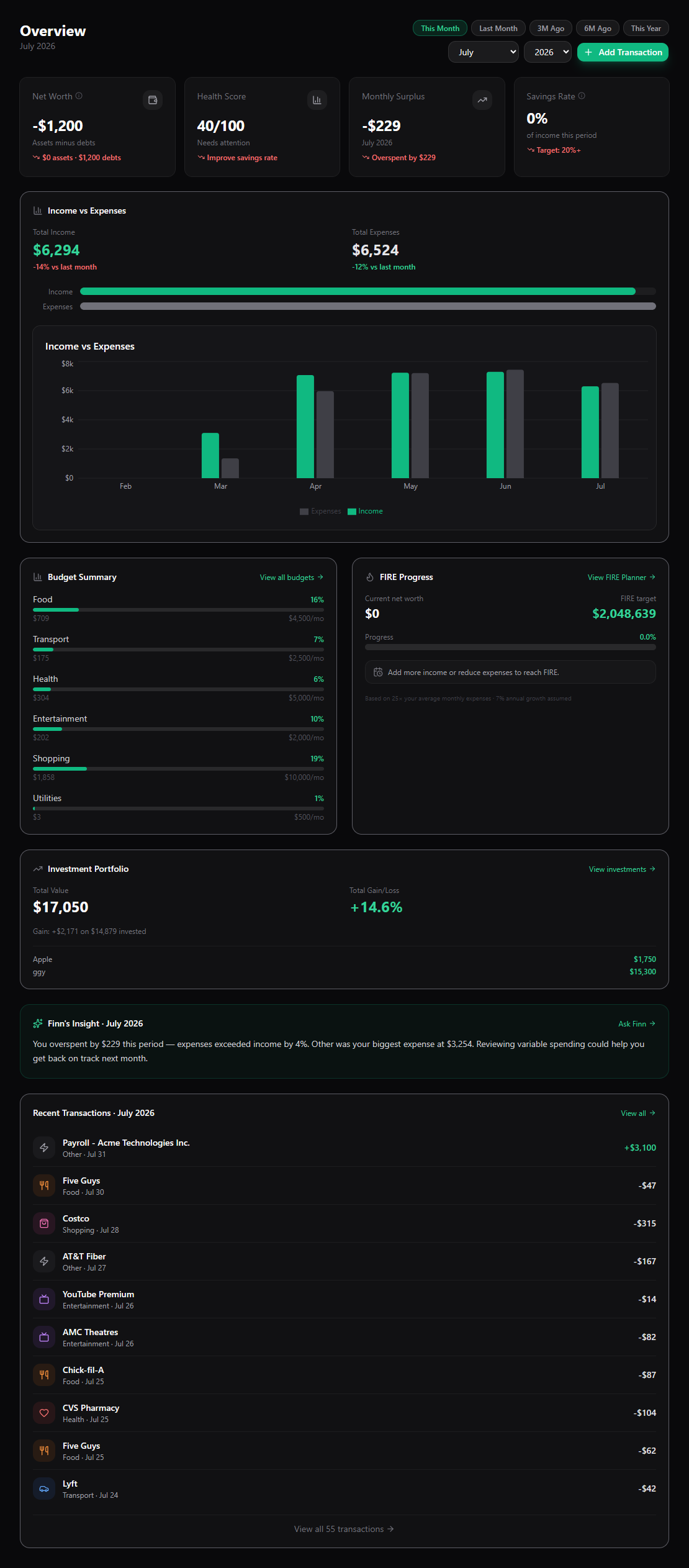
Inside, the design choices are deliberately unremarkable: no red-by-default category warnings, no "you're behind" push notifications, just the numbers laid out plainly. When you have a question — "why did I spend more on groceries this month," "am I on track for anything" — you can ask Finn, the built-in AI assistant, in plain language instead of parsing a dashboard full of alerts.
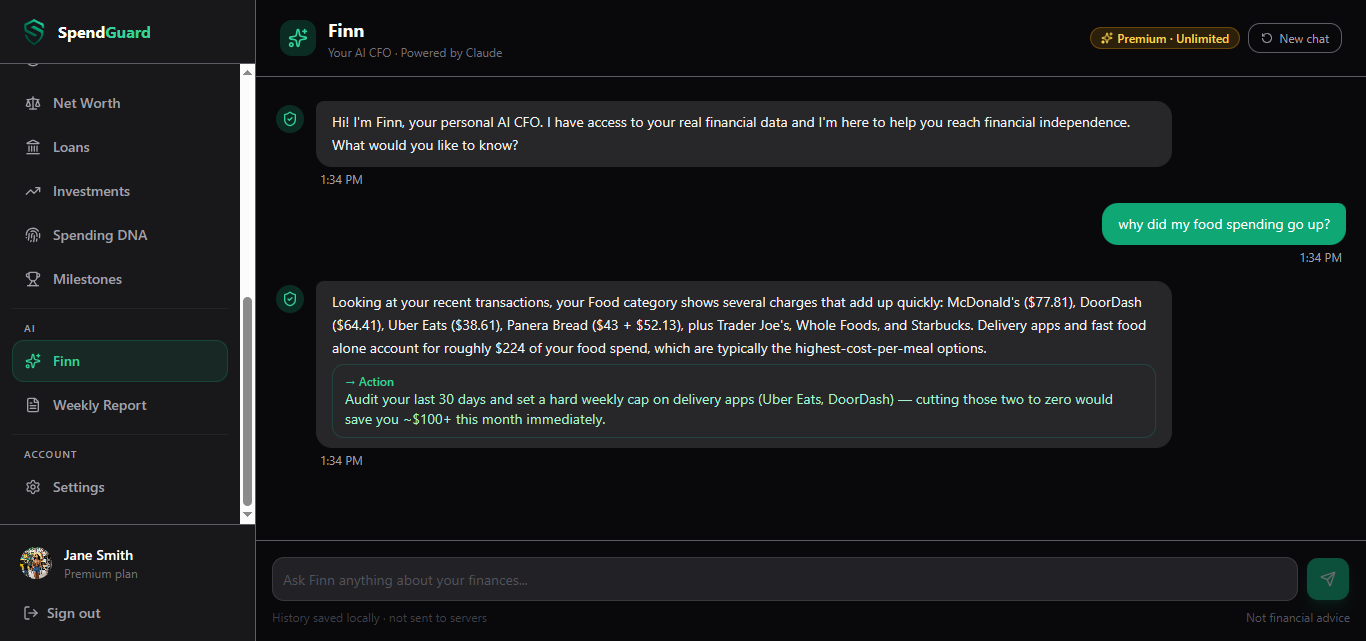
Finn answers using your actual imported transactions, budgets, and goals — it's built to explain what happened, not to scold you for it. The free tier includes a Financial Health Score for a fast plain-language read on where you stand, and CSV import is available starting on the Pro plan for anyone who wants the fuller picture without the bank-login step. (We covered the exact CSV export-and-upload steps in detail in our import walkthrough if you want to go straight there.)
A 5-Minute First Look, Step by Step
You don't need SpendGuard, or any app, to try this. The mechanics of lowering the emotional cost of looking work on their own:
- Export one month, not your whole history. Log into your bank's website and download the last statement as a CSV or PDF. One month is enough data to be useful and small enough to not feel overwhelming.
- Open it and just look — don't categorize yet. Skim the transaction list once with no goal except "see what's there." Looking and judging are two different tasks; doing them at the same time is what makes this feel like a confrontation.
- Name three categories, nothing more. Rent/housing, food, everything else is a perfectly fine starting split. You can get more granular later — precision isn't the point of a first look.
- Stop there. No budget, no plan, no fixing anything yet. The goal of a first look is just proving to yourself that looking didn't produce a disaster. That's the whole intervention.
Repeating this for a second month is usually easier than the first — which is the actual mechanism behind the "ostrich effect" losing its grip: it fades with exposure, not with more willpower. (We walked through the full manual-vs-spreadsheet-vs-CSV-import comparison, including a 15-minute monthly version of this workflow, in how to budget without linking your bank account.)
Is Being Afraid to Check Your Bank Account a Real Thing?
Yes. It's studied under names like financial avoidance and the ostrich effect, and it's a well-documented coping pattern rather than a personal failing — it shows up in behavioral-finance research even among people who are objectively financially stable but chronically anxious about money. Recognizing it as a pattern, not a flaw, is usually the first thing that makes it easier to interrupt.
SpendGuard is built around the calmer version of this: import your transactions without a bank login, see a plain-language dashboard instead of red alerts, and ask Finn instead of parsing warnings yourself. Free tier available — no bank connection required to start.
Get your finances on track with SpendGuard
Track spending, plan your FIRE date, and get AI-powered advice — all in one place. Free to start.
Start for free →